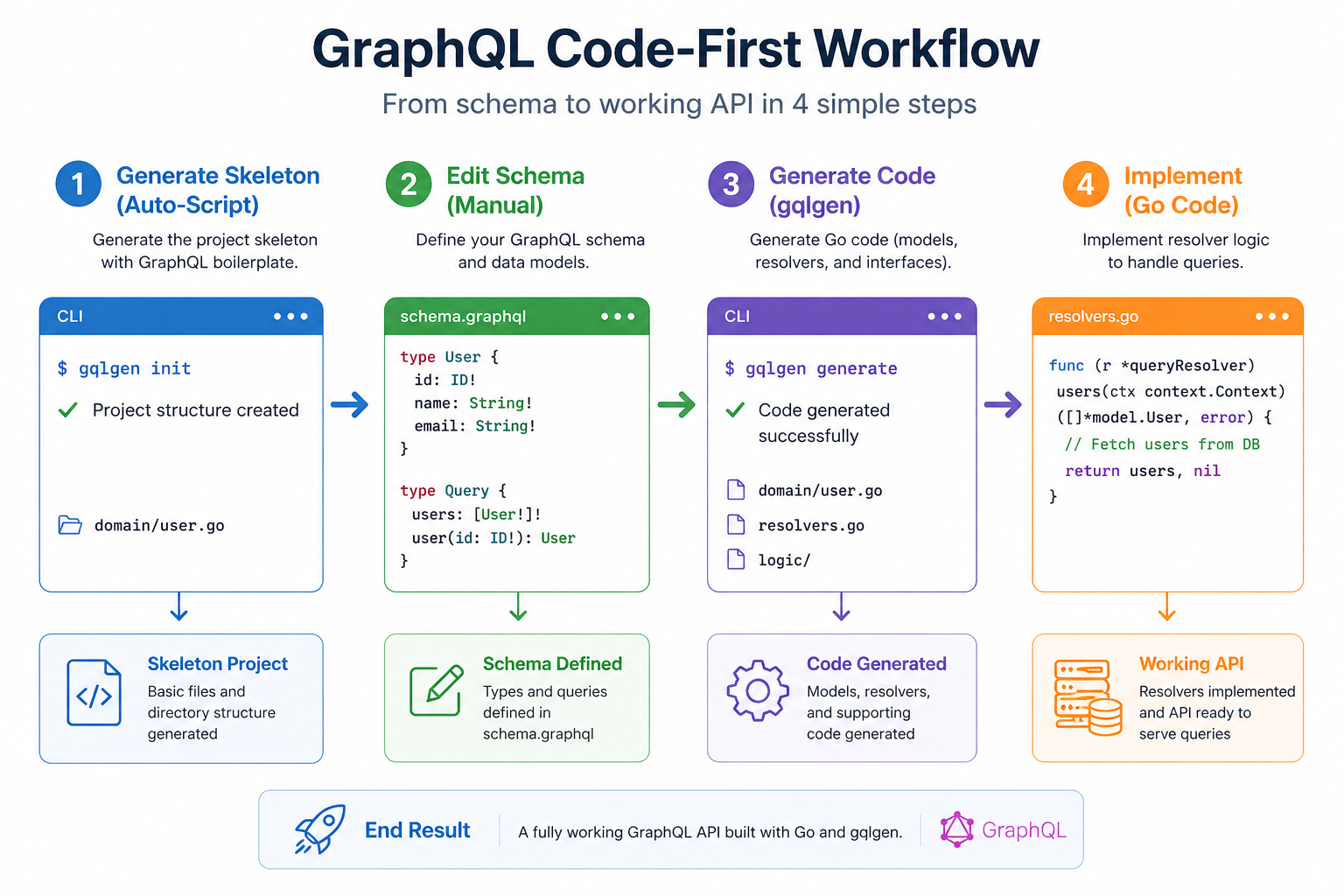
Step 1: Generate Schema Skeleton
Use the helper script to generate a starting point from your domain model. Command:- Reads your Go struct
- Converts fields to GraphQL types
- Adds
id,createdAt,updatedAt(if BaseEntity found) - Skips sensitive fields like
passwordHashautomatically
Step 2: Edit the Schema
The generated schema is valid but minimal. You need to manually add Queries and Mutations. Open:internal/modules/product/adapter/inbound/graphql/schema/product.graphql
Add:
extend type so you can have multiple schema files contributing to the root Query and Mutation types.
Step 3: Generate Go Code
Rungqlgen to generate the server code and resolver stubs.
Command:
generated.gois updated (interfaces)models_gen.gois updated (input types)product.resolvers.gois created with stubs
Step 4: Implement Resolvers
Open the newly created resolver file and implement the logic. File:internal/modules/product/adapter/inbound/graphql/product.resolvers.go
Summary Checklist
- ✅ Run Script:
./scripts/generate-schema.sh path/to/domain.go > output.graphql - ✅ Edit Schema: Add
Query,Mutation, andinputtypes. - ✅ CodeGen:
go run github.com/99designs/gqlgen generate - ✅ Implement: Fill in the functions in
*.resolvers.go. - ✅ Test: Use Playground at
http://localhost:8080/playground.