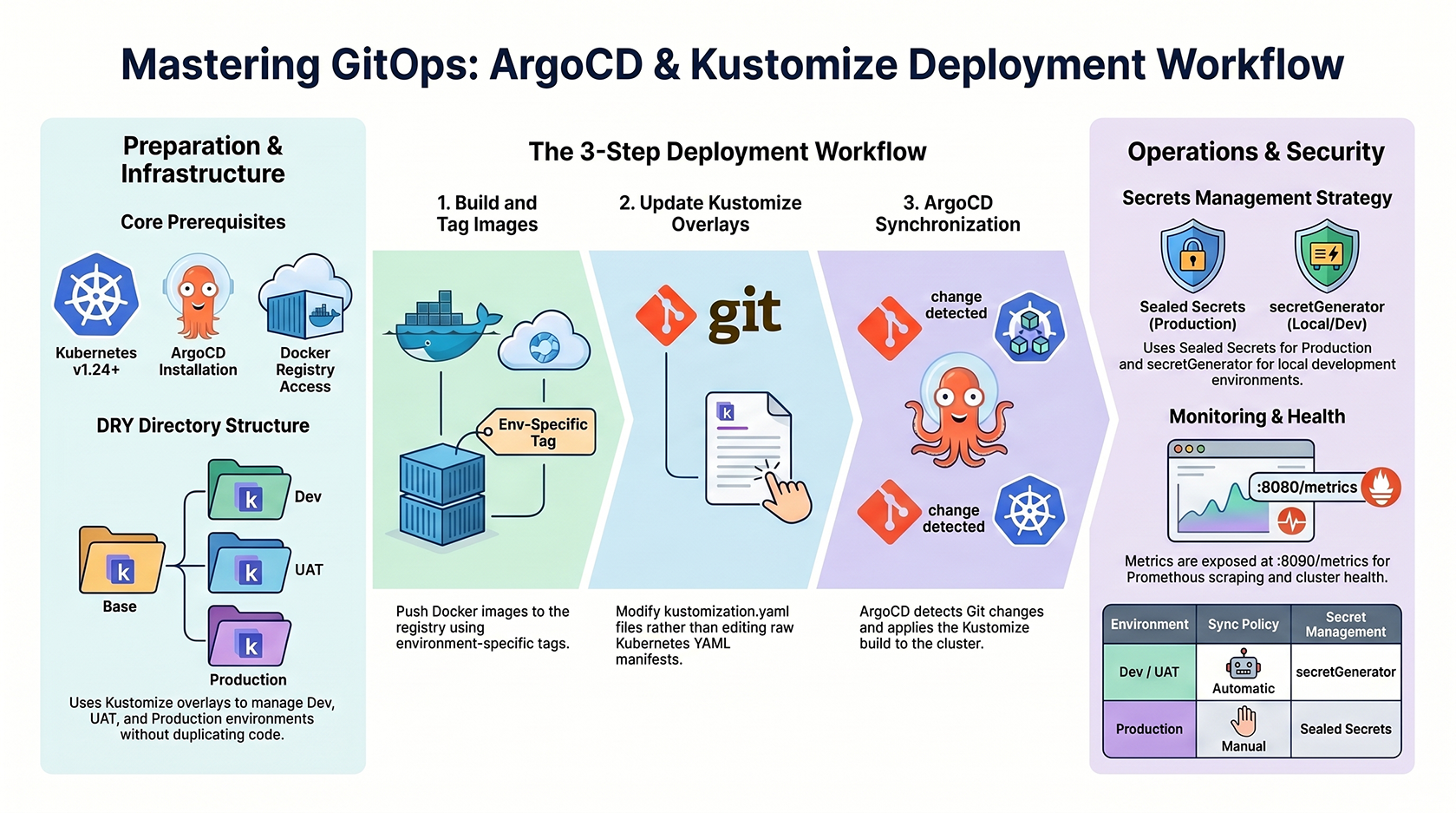
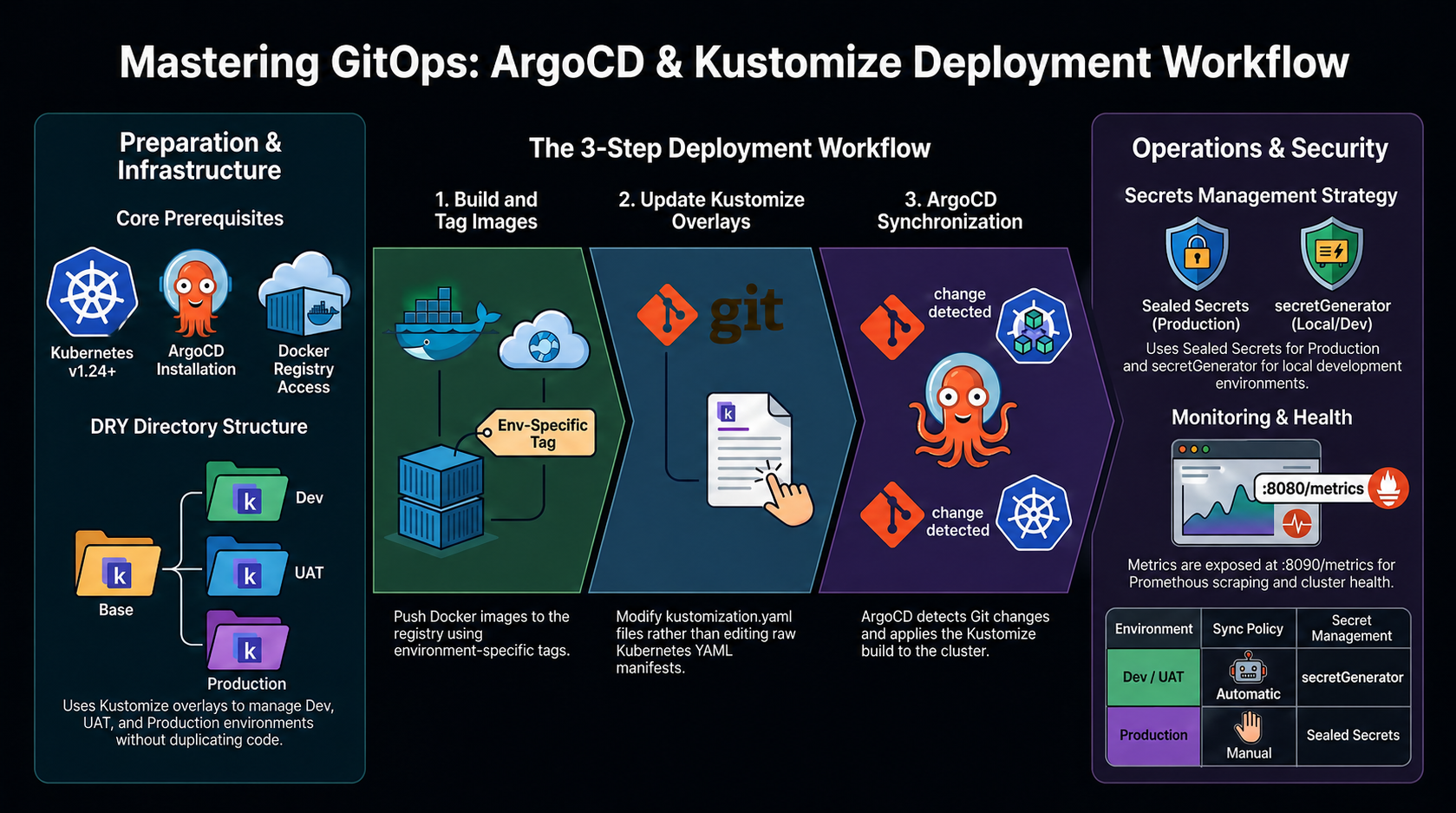
 This document provides a detailed walkthrough for deploying the backend application using ArgoCD and Kustomize for a robust, multi-environment GitOps workflow.
📋 Prerequisites
- ✅ Kubernetes cluster (v1.24+)
- ✅ ArgoCD installed in the cluster
- ✅ Docker registry access (e.g., Docker Hub, AWS ECR)
- ✅ Kustomize (built into
kubectl) - ✅ Git repository access with the monorepo
🏗 Directory Structure
Our deployment is organized using Kustomize overlays to manage different environments while keeping the base configuration DRY.🚀 Deployment Workflow
1. Build and Push Docker Image
Build your image and push it to your registry using environment-specific tags:2. Update Kustomize Overlays
Instead of editing raw YAML files, we update thekustomization.yaml in the appropriate overlay.
Example: Updating Production Image
backend/k8s/overlays/development/kustomization.yaml to update configMapGenerator values.
3. Deploy with ArgoCD
ArgoCD is configured to track thebackend/k8s/overlays/{env} paths.
- Detect changes in your Git repository.
- Apply the Kustomize build result to the cluster.
- Sychnronize according to the environment policy (Auto for Dev/UAT, Manual for Prod).
🛠 Manual Sync and Validation
To manually sync or preview changes:🔐 Secrets Management
For production security:- Sealed Secrets: Encrypted secrets stored in Git (recommended).
- External Secrets: Fetching from Cloud Secret Managers.
dev and uat, we use Kustomize secretGenerator for convenience, but these should not be committed to public repositories.
📊 Monitoring
- Health Checks: Liveness and readiness probes are configured in the
basedeployment. - Metrics: Exposed at
:8080/metricsfor Prometheus scraping.