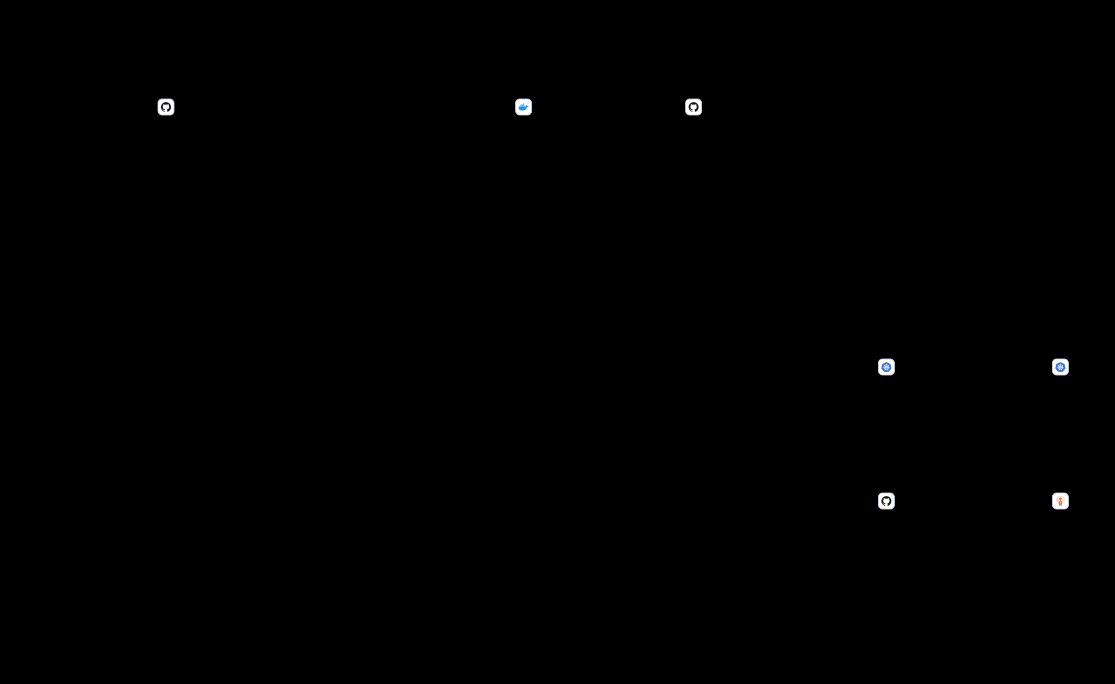
Overview
The Go backend service uses an interactive scriptbackend/go/deploy.sh to orchestrate building container images, publishing them to GitHub Container Registry (GHCR), updating environment-specific Kustomize overlays, and rolling out workloads to Kubernetes.
This workflow is designed to:
- Eliminate Docker Desktop dependencies: Fully supports daemonless Podman and native Linux Buildah.
- Support low-power dev machines: Leverages remote Kaniko jobs inside the Kubernetes/K3s cluster for in-cluster container builds.
- Provide flexible rollout strategies: Supports immediate hot-fixes via
kubectl apply -k, strict declarative GitOps via ArgoCD, or a Dual Sync mode that combines both.
High-Level Pipeline Architecture
The deployment pipeline is organized into four logical stages:Step 1: Environment & Prerequisites Detection
When you rundeploy.sh, it immediately resolves target environment parameters and validates local tooling:
Script Inputs & Environment Variables
Automated Tooling Checks
- Build Engine Detection: Checks if
buildah(Linux native) orpodmanis installed. - Kubernetes CLI: Ensures
kubectlexists in$PATH. - Overlay Existence: Confirms that
k8s/overlays/${ENV}exists before proceeding.
Step 2: Build Engine Selection
The script presents three build options depending on your local hardware and environment:Option 1: Local Build (Podman / Buildah)
- Engine: Automatically selects
buildah budon Linux orpodman buildon macOS. - Workflow: Compiles
backend/go/Dockerfilelocally, tags with${FULL_IMAGE}:${VERSION}and:latest, then pushes to GHCR. - Cross-Platform Compilation:
- Best For: Fast, iterative inner loops on powerful workstations.
Option 2: Remote Build (Kaniko in K3s Cluster)
- Engine: Ephemeral Kubernetes
batch/v1 Jobexecutinggcr.io/kaniko-project/executor:latest. - Workflow:
- Locates
ghcr-secretin the target namespace (or across cluster namespaces). - Constructs an authenticated Git context URL (injecting
$GITHUB_TOKENif present). - Cleans up any existing
kaniko-build-backendjob. - Deploys the Kaniko Job into the cluster with
--cache=trueand sub-pathbackend. - Waits for completion (timeout up to 40 minutes for ARM/Raspberry Pi builds) and deletes the job upon success.
- Locates
- Best For: Lightweight laptops without container engines, remote development, or building directly on target architecture nodes.
Option 3: Skip Build
- Workflow: Leaves registry images untouched and skips straight to overlay configuration.
- Best For: Re-deploying an already-built image, testing configuration changes, or promoting a known commit hash without rebuilding.
Step 3: Kustomize Overlay Tagging
Once the image is confirmed in the registry:- The script navigates to
backend/go/k8s/overlays/${ENV}. - Updates
kustomization.yamlwith the new tag: - Uses
kustomize edit set image ...if thekustomizeCLI is present, otherwise falls back tosed -ifor portability.
Step 4: Deployment Execution Modes (Deep Dive)
The deployment execution prompt asks how changes should be applied to the Kubernetes cluster:Mode 1: Direct Rollout (direct)
- Command:
kubectl apply -k k8s/overlays/${ENV} - How it works: Compiles the Kustomize manifests locally and pushes resource definitions directly to the active Kubernetes context.
- Characteristics:
- ⚡ Instantaneous: Pods roll out immediately in seconds.
- ⚠️ GitOps Drift: If ArgoCD has
selfHeal: trueenabled on the application, ArgoCD will eventually detect the mismatch with Git and roll the pods back to the Git version.
- When to use: Quick hot-testing or debugging in
developmentenvironments.
Mode 2: GitOps via ArgoCD (git)
- Command: Commits
kustomization.yamland runsgit push origin HEAD:${BRANCH_NAME}. - Commit Message:
Update backend image to ${VERSION} for ${ENV} [skip ci] - How it works:
- The
[skip ci]tag prevents redundant GitHub Actions test workflows from triggering. - ArgoCD continuously monitors the target branch specified in
backend/go/argocd/application.yaml. - When ArgoCD detects the new commit, it synchronizes the live cluster according to its environment policy:
development&uat: Automated sync (prune: true,selfHeal: true).staging: Automated sync (prune: true,selfHeal: false, manual approval).production: Strictly manual sync for safety (automated: null).
- The
- Characteristics:
- 🔒 Auditable & Declarative: Every deployment is recorded in Git commit history.
- 🛡️ Zero Drift: Cluster state strictly reflects Git repository state.
- When to use: Standard team workflows and promotions to
stagingandproduction.
Mode 3: Dual Sync (both)
- Command: Runs
kubectl apply -kAND commits and pushes to Git. - How it works:
- The local cluster rolls out the new image immediately without waiting for ArgoCD’s poll cycle.
- The Git commit is pushed concurrently, updating the target branch so ArgoCD sees the Git state and cluster state as perfectly in sync.
- Characteristics:
- 🚀 Zero Waiting: Immediate rollout speed of
kubectl apply. - 🤝 Zero Drift: No risk of ArgoCD rolling back your local update.
- 🚀 Zero Waiting: Immediate rollout speed of
- When to use: The recommended choice when developing against a cluster managed by ArgoCD.
Mode 4: Skip Deployment (skip)
- Action: Stops execution without touching the cluster or committing to Git.
- When to use: Preparing the Kustomize overlay locally for manual inspection or inclusion in a wider PR.
Decision Matrix for Developers
ArgoCD Environment Sync Policies
Defined inbackend/go/argocd/application.yaml:
Troubleshooting & Common Issues
Kaniko build fails with
ghcr-secret not found:
Ensure a GitHub Container Registry token secret exists in your target namespace:Related Files & Links
- Deployment Script:
backend/go/deploy.sh - ArgoCD Applications:
backend/go/argocd/application.yaml - K8s Overlays:
backend/go/k8s/overlays/ - ArgoCD Deployment Guide:
docs/backend/go/infrastructure/argocd-deployment.md - Deployment Quick Reference:
docs/backend/go/infrastructure/deployment-quick-ref.md