Overview
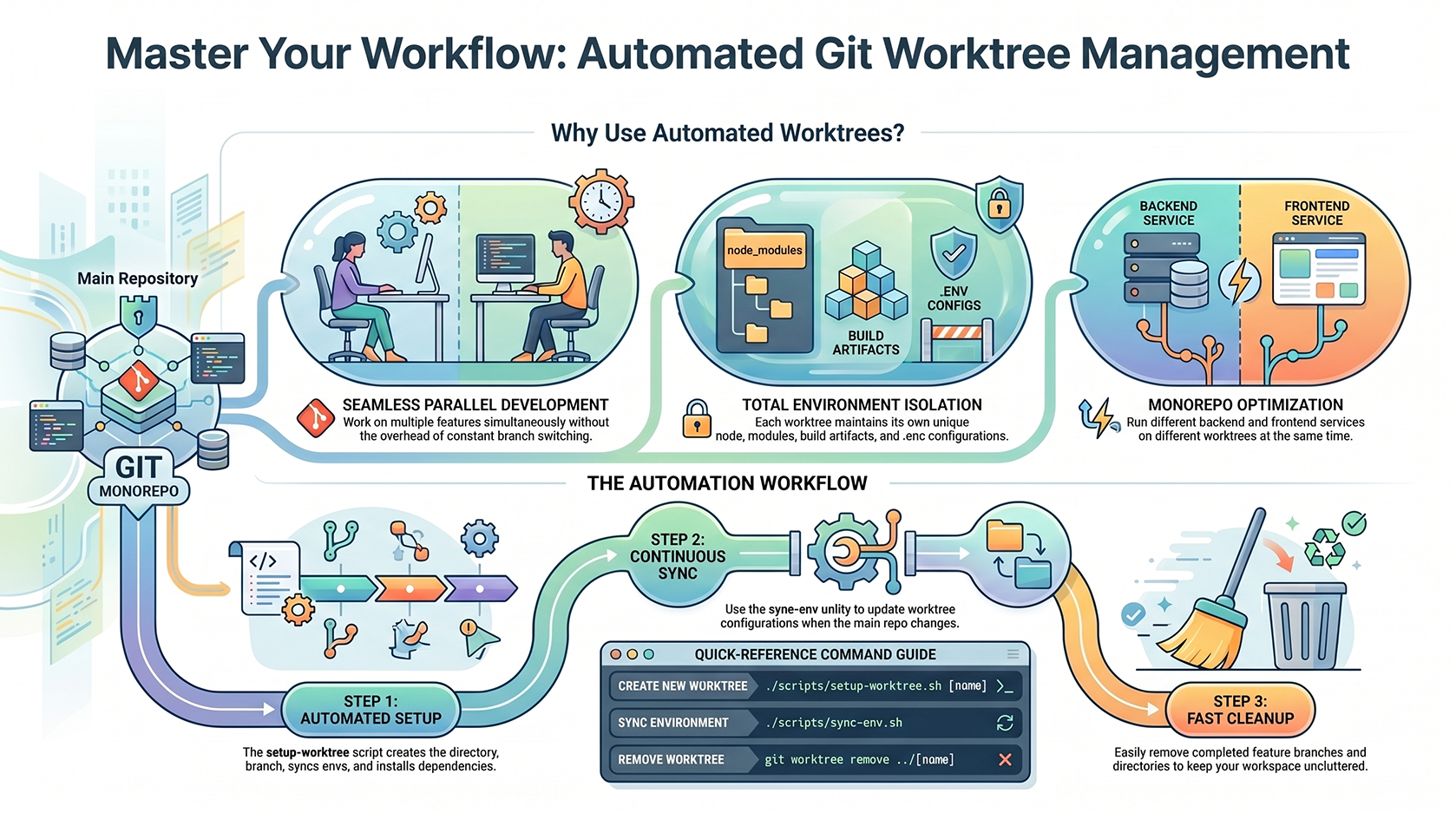
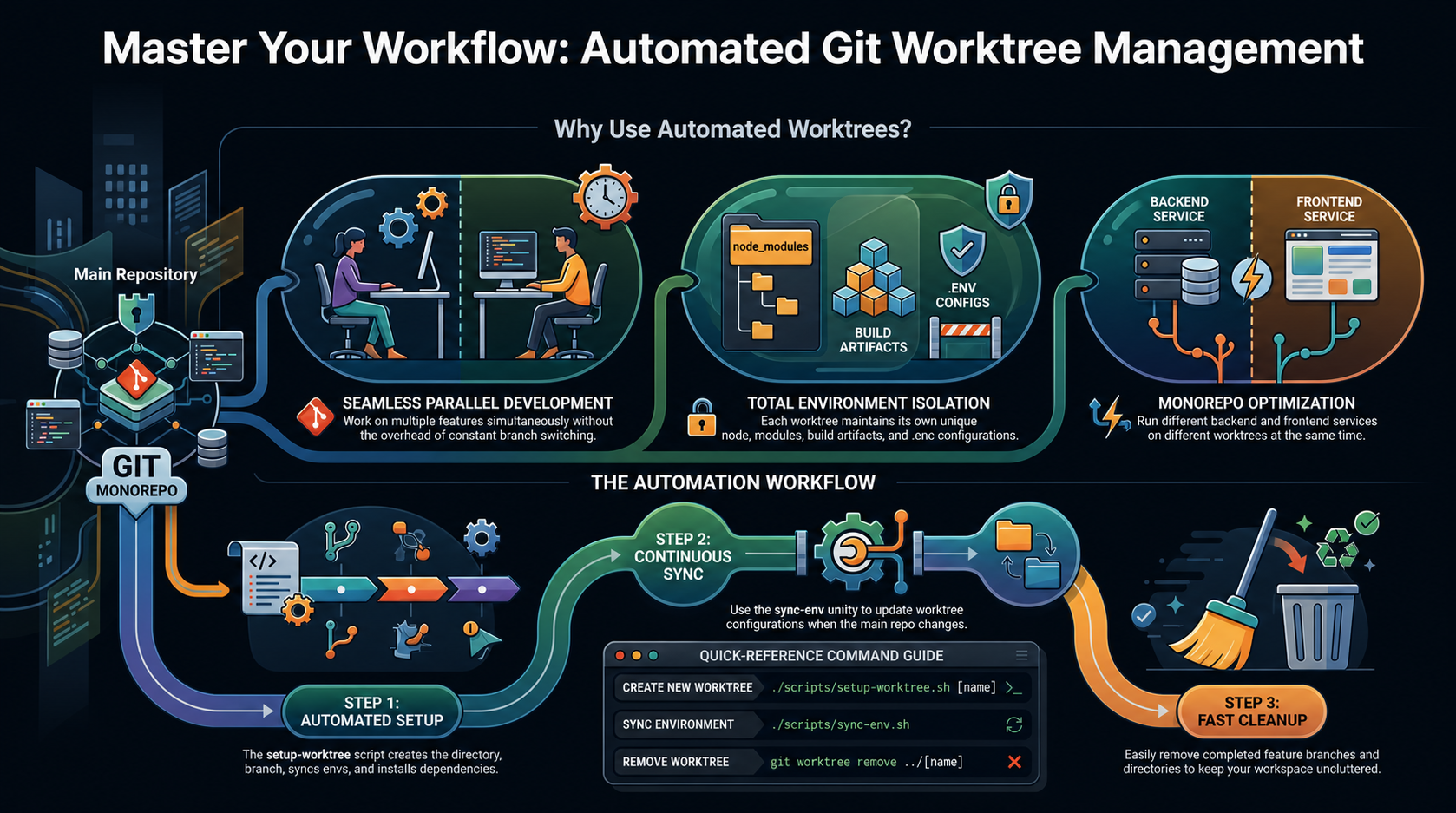
When working with multiple features or branches simultaneously, git worktrees provide isolated development environments without checking out different branches in the same directory. This guide covers the two companion scripts that automate the entire worktree workflow: creating workspaces, syncing environments, and installing dependencies.Why Use Worktrees?
Problems They Solve
- Multiple Features in Parallel: Work on feature branches without constantly switching branches in your main working directory
- Faster Context Switching: Access different features without rebuilding dependencies
- CI/CD Testing: Run tests on multiple branches simultaneously
- Isolated Environments: Each worktree has its own node_modules, .env files, and build artifacts
Monorepo Considerations
In this monorepo, worktrees are especially valuable because:- You can run different backend services (Go, Bun) on different worktrees simultaneously
- Frontend (SolidStart, Astro) can be tested independently
- Each worktree gets its own
.envconfiguration - Dependencies are isolated — no conflicts between feature branches
Scripts Overview
1. setup-worktree.sh — Full Setup Automation
Purpose: Create a new git worktree with automatic environment sync and optional dependency installation
Location: ./scripts/setup-worktree.sh
What it does:
- ✅ Creates a new git worktree at
../[NAME] - ✅ Creates a feature branch
feature/[NAME] - ✅ Syncs all
.envfiles from main repo to worktree - ✅ (Optional) Installs dependencies across all backend/frontend packages
2. sync-env.sh — Environment Sync Utility
Purpose: Keep .env files synchronized across worktrees when main repo config changes
Location: ./scripts/sync-env.sh
What it does:
- ✅ Copies
.envfiles from main repo to worktree (overwrites with latest) - ✅ Detects which files have changed
- ✅ Optional dry-run preview before applying changes
- ✅ Works on current worktree or any specified path
Getting Started
Creating a New Worktree
Quick Setup (Interactive)
With Name Argument
- Worktree directory:
../auth-redesign/ - Branch:
feature/auth-redesign - Synced
.envfiles - Optionally installs dependencies
Interactive Dependency Installation
When prompted, choose whether to install dependencies:backend/bun(root + monolith app)backend/bun/apps/monolithfrontend/solidstart(root + panel app)frontend/solidstart/apps/panelfrontend/astro(root + platform app)frontend/astro/apps/platform
Example Workflow
Syncing Environment Changes
Scenario: Main Repo .env Updated
When you update .env files in the main repo (e.g., new API key, database URL), sync them to your worktrees:
From Your Worktree
From Main Repo (for another worktree)
Understanding Sync Output
- Updating: File exists but has differences (overwrites)
- Created: New file copied to worktree
- Already in sync: File unchanged (skipped)
- Source not found: Main repo doesn’t have this file
Advanced Usage
Install Dependencies Later
If you skipped dependency installation during setup:Dry-Run Preview
See what would be synced without making changes:Multiple Worktrees Simultaneously
You can have multiple worktrees open and run different features:Sync All Worktrees at Once
If main.env changes and you have multiple worktrees:
Troubleshooting
Branch Already Exists
Worktree Already Exists
Dependencies Installation Fails
If bun/pnpm install fails during setup:- Node version mismatch — ensure Node ≥ 22
- Missing
bunorpnpm— install globally - Corrupted node_modules — delete and retry
.env Files Not Syncing
Verify the source files exist in main repo:.env.example:
Environment Mappings
Both scripts sync these.env files:
Best Practices
✅ Do
- Use descriptive worktree names:
auth-redesign,payment-flow, notfeature1 - Sync
.envbefore starting dev: Ensures you have latest configuration - Use dry-run for big syncs: Preview changes before applying them
- Clean up old worktrees: Remove completed feature branches to avoid clutter
❌ Don’t
- Don’t commit
.envfiles: They contain secrets and should be in.gitignore - Don’t manually edit
.envin worktrees: They’ll be overwritten on next sync - Don’t skip dependency installation: You won’t be able to run dev servers
- Don’t use spaces in worktree names: Stick to kebab-case:
my-featurenotmy feature