Code Review Process Guide
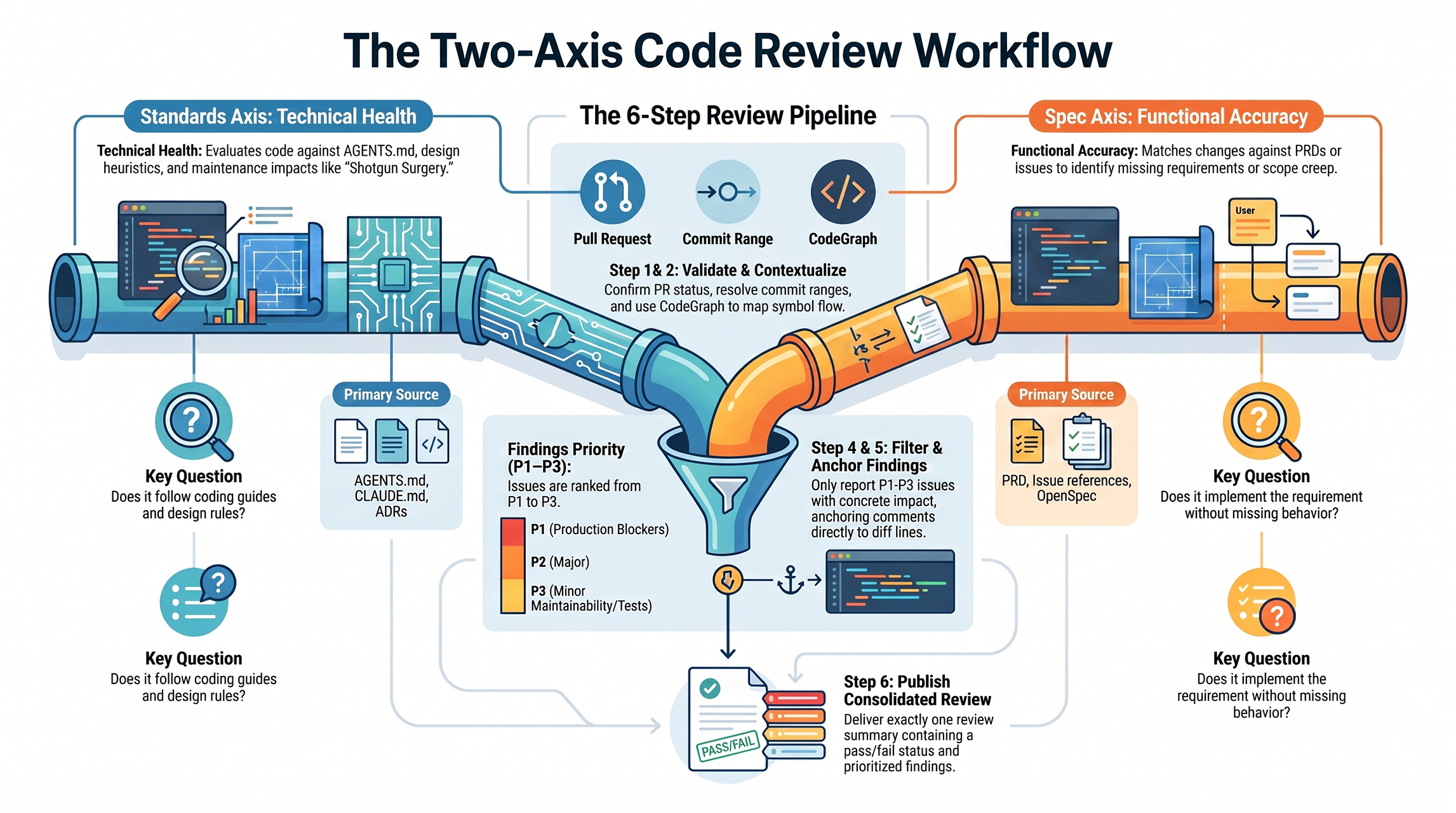
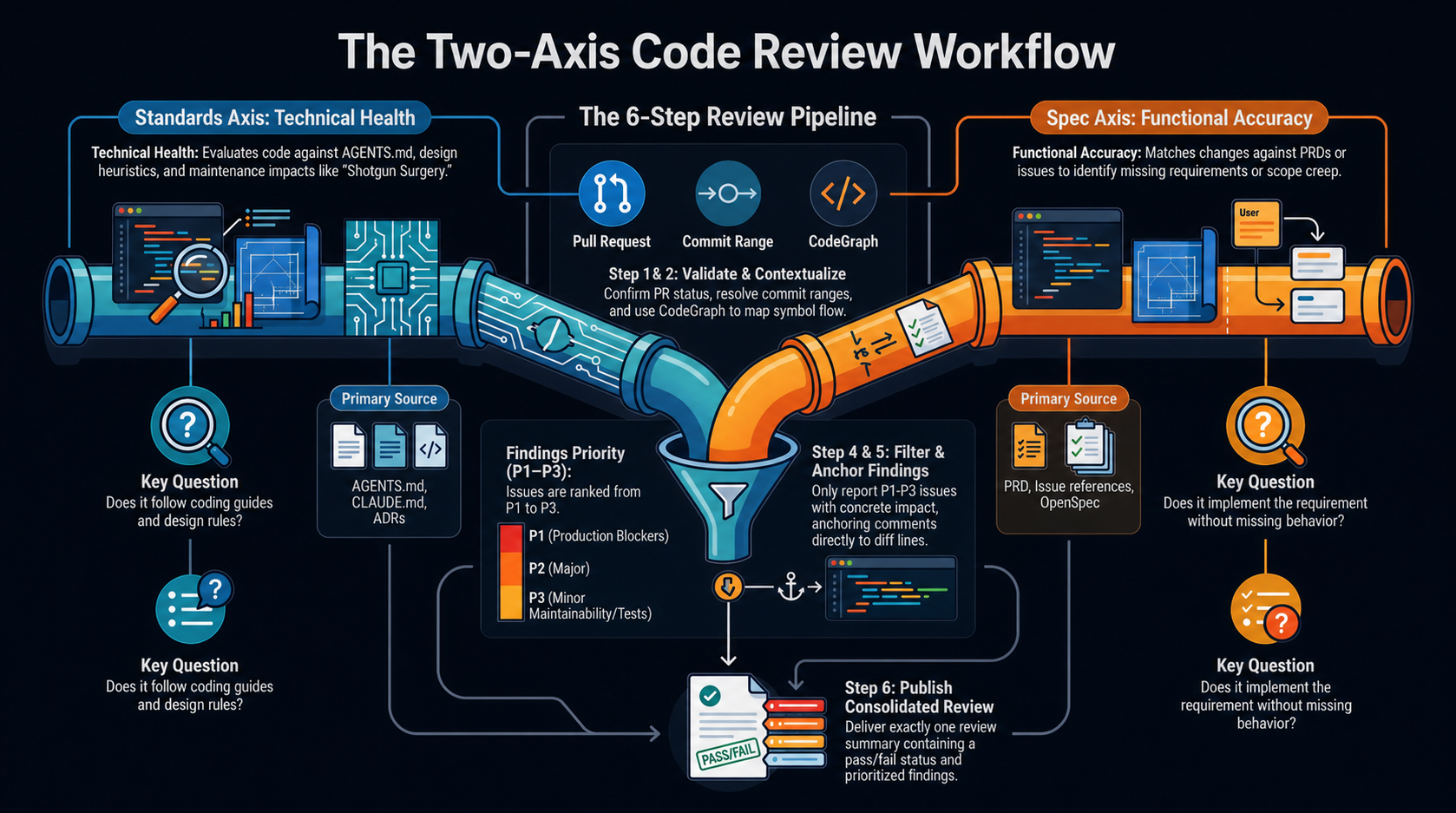
This guide documents both sides of the Codex code review workflow:- Review a requested PR commit against repository standards and its originating specification.
- Respond to each published comment with a fix or evidence-based rebuttal.
Publishing a Code Review
Use$code-review-to-github with a PR number and a commit or commit range:
Step 1: Validate the Review Target
- Fetch the PR through the GitHub connector.
- Confirm the PR exists and is open.
- Fetch the PR body and conversation comments for explicit spec paths and issue references.
- Resolve the commit or range locally.
- Confirm the reviewed commit belongs to the PR history.
commit^..commit. For a range, review left..right.
Step 2: Build Local Context
- Inspect the diff stat, changed filenames, and targeted hunks.
- Use CodeGraph before manual source reads when code impact or symbol flow matters.
- Read relevant architecture or domain decisions.
- Run focused tests, type checks, linters, or package-specific checks when they increase confidence.
Step 3: Run the Two Review Axes
Run the Standards and Spec reviews independently so one conclusion does not influence the other.Standards Axis Checklist
- Documented standards — Check applicable
AGENTS.md,CLAUDE.md, coding guides, ADRs, and design rules. Repository rules override the heuristics below. - Mysterious Name — A name hides the value or behavior it represents.
- Duplicated Code — The same logic shape is repeated in the change.
- Feature Envy — Behavior mostly manipulates another object’s data.
- Data Clumps — The same fields or parameters repeatedly travel together.
- Primitive Obsession — A domain concept is represented by an unsafe primitive.
- Repeated Switches — Equivalent condition trees recur in multiple places.
- Shotgun Surgery — One behavior change requires scattered edits.
- Divergent Change — One module changes for unrelated reasons.
- Speculative Generality — Abstractions exist for requirements not requested.
- Message Chains — Callers navigate through several internal objects.
- Middle Man — A layer adds delegation without useful policy or behavior.
- Refused Bequest — An implementation inherits a contract it mostly rejects.
- Concrete impact — Report a heuristic only when it creates a specific maintenance or correctness impact in this diff.
- Tooling boundary — Skip formatting or checks already enforced by existing tooling.
Find the Specification
Resolve the originating specification in this order:- An exact spec/change path supplied by the user or named in the PR body or comments.
- Issue references in the reviewed commits, PR body, or comments.
- A matching OpenSpec change under:
backend/go/openspec/changes/backend/bun/openspec/changes/frontend/astro/openspec/changes/frontend/solidstart/openspec/changes/mobile/flutter/openspec/changes/
- A matching PRD/spec under
docs/,specs/, or.scratch/. - The PR body, when it contains verifiable requirements.
proposal.md, design.md, tasks.md, and the relevant files under specs/. An exact path from the PR conversation selects the change and should not be replaced by a similarly named change.
If no specification exists, skip the Spec axis and state that limitation. Never treat the implementation as its own specification.
Spec Axis Checklist
- Missing requirements — Identify requirements that are not implemented.
- Partial requirements — Identify requirements that are only partly implemented.
- Contradicting behavior — Identify behavior that conflicts with a requirement.
- Scope creep — Identify behavior outside the requested scope.
- Acceptance failure — Identify implementation that appears present but fails the stated acceptance behavior.
- Requirement citation — Cite the exact requirement for every candidate.
- No inferred requirements — Do not create findings from personal preference.
.agents/skills/code-review-to-github/references/two-axis-review.md.
Step 4: Keep Only Actionable Findings
Validate candidates from both axes against the code and focused checks. Do not publish style preferences or speculative concerns without a concrete failure mode.
Preserve the source axis on every finding:
[Standards], [Spec], or [Standards + Spec].
Step 5: Anchor Findings to the PR Diff
- Place inline comments only on lines present in the PR diff.
- Prefer changed lines on the right side of the diff.
- Use a multi-line anchor only when the entire range is present.
- Put an unanchorable finding in the review body instead of inventing a line.
Step 6: Publish One Review
Publish exactly oneCOMMENT review through the GitHub connector. Sub-agents used for the two axes must never edit files or publish reviews.
The review body starts with:
Follow-Up Commits
Review each fix as a new commit-scoped pass. Reuse prior session context, but inspect only the new requested commit or range. Publish a new review that reports whether the earlier finding was fixed and whether the follow-up introduced any new actionable issue.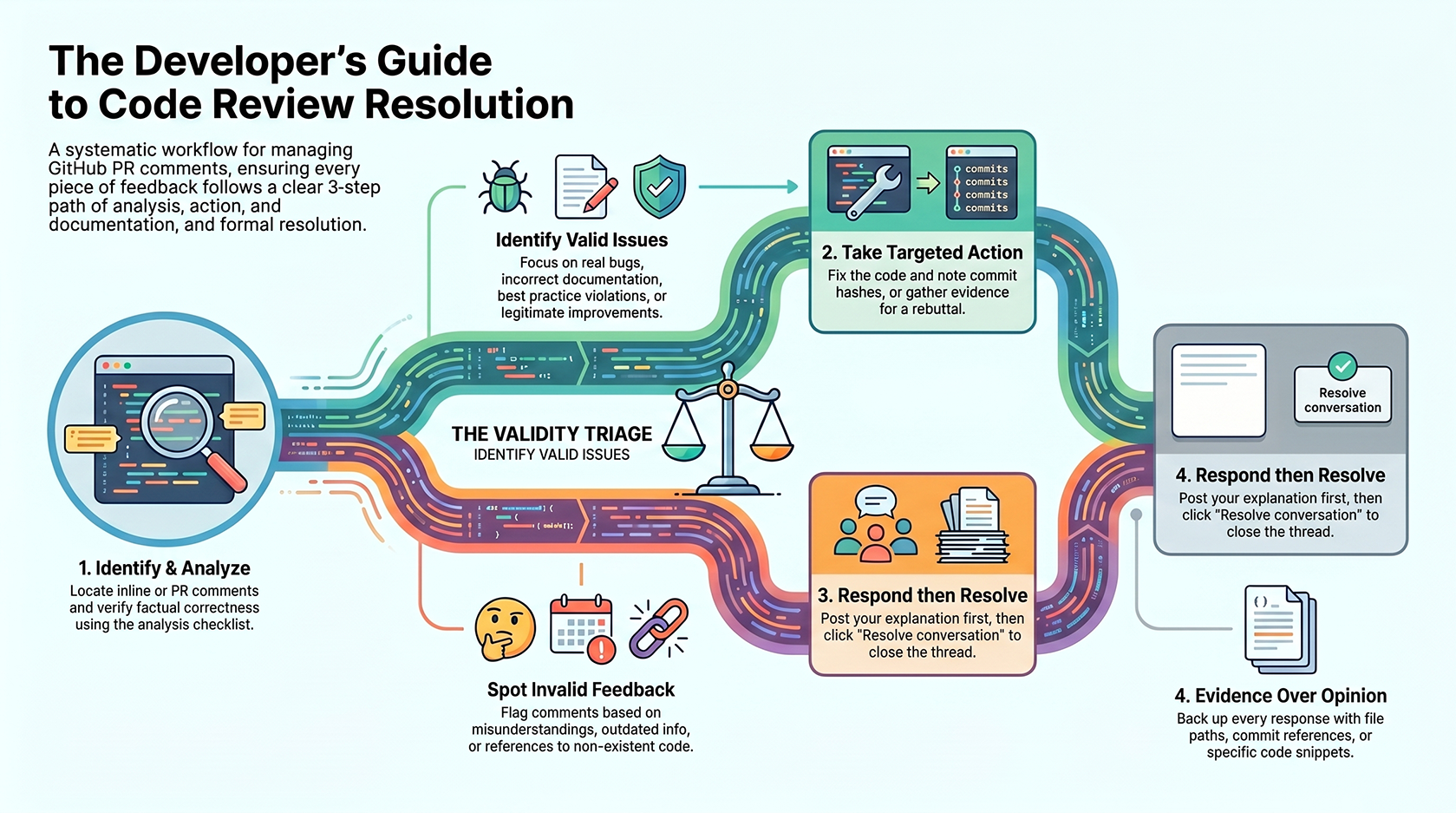
Responding to Review Comments
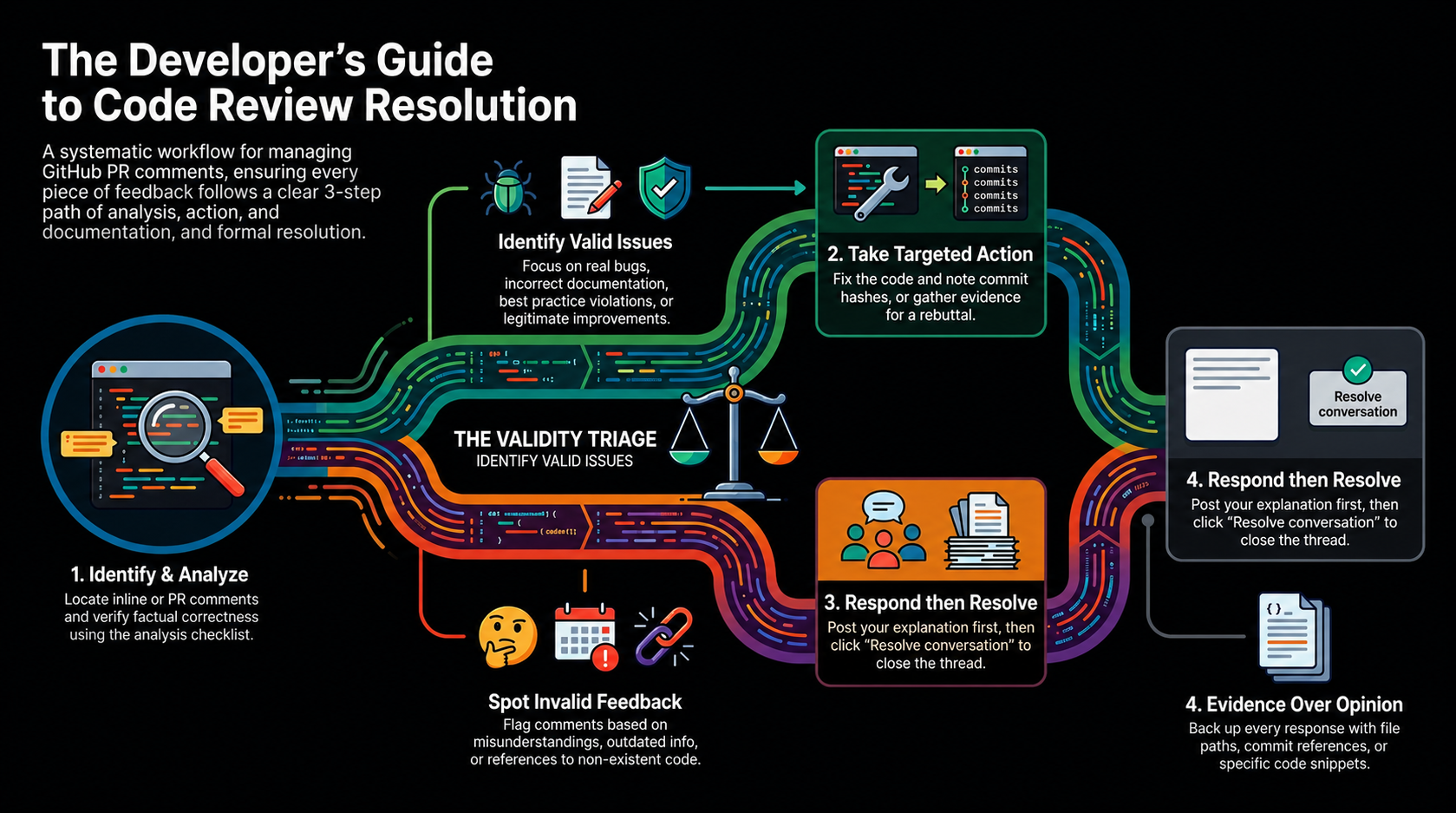
Every published code review comment requires:- Analysis (valid or invalid)
- Action (fix or rebuttal)
- Response (explanation posted to thread)
- Resolution (mark conversation as Resolved)
Step 1: Identify & Analyze Comments
Where to find comments:- Review threads on the PR (inline code comments)
- PR comments section
- Review submissions
- Is the comment factually correct?
- Does it point to an actual issue in the code/docs?
- Is there evidence to support the claim?
- Can it be fixed or is it based on incorrect assumptions?
Step 2: Determine if Valid or Invalid
Step 3: Take Action
If VALID:- Fix the code or documentation
- Test the changes
- Note the commit hash(es)
- Gather evidence proving it’s wrong
- Collect file paths and commit references
- Prepare detailed explanation
Step 4: Post Response to Thread
CRITICAL: Always respond to the comment thread BEFORE marking as resolved. Response format for valid comments:Step 5: Mark Conversation as Resolved
After posting your response:- Go to the comment thread
- Click “Resolve conversation”
- Confirm resolution
Example Walkthrough
Scenario: Invalid Comment
Codex Comment:“Remove premature claim that auth use cases are deleted”Analysis: Invalid — use cases were actually deleted in commit d86d832 Response Posted:
Scenario: Valid Comment
Codex Comment:“Fix broken cross-doc links”Analysis: Valid — links use relative paths that don’t resolve Action Taken:
- Fixed
../go/architecture/authentication→/backend/go/architecture/authentication - Fixed
../../shared/authentication-flow→/shared/authentication-flow - Committed in commit 0a10905
Best Practices
- Keep review axes separate — Standards and Spec findings answer different questions
- Respect the requested boundary — Review only the specified commit or range
- Do not invent requirements — Skip the Spec axis when no reliable specification exists
- Publish once per pass — Aggregate all findings into one GitHub review
- Always provide context — Include file paths, commit hashes, or code snippets
- Use evidence over opinions — Back up your response with facts
- Be concise but complete — Explain the decision clearly but briefly
- Document decisions — The response thread is the audit trail for architectural/review decisions
- Don’t skip the response — Even if obvious to you, document why the feedback was accepted/rejected
Related Links
- Pull Request Reviews — Active PRs
- Codex Documentation — About Codex code review bot